6 Best Free Website to App Converters in 2026: Which One Should You Pick?
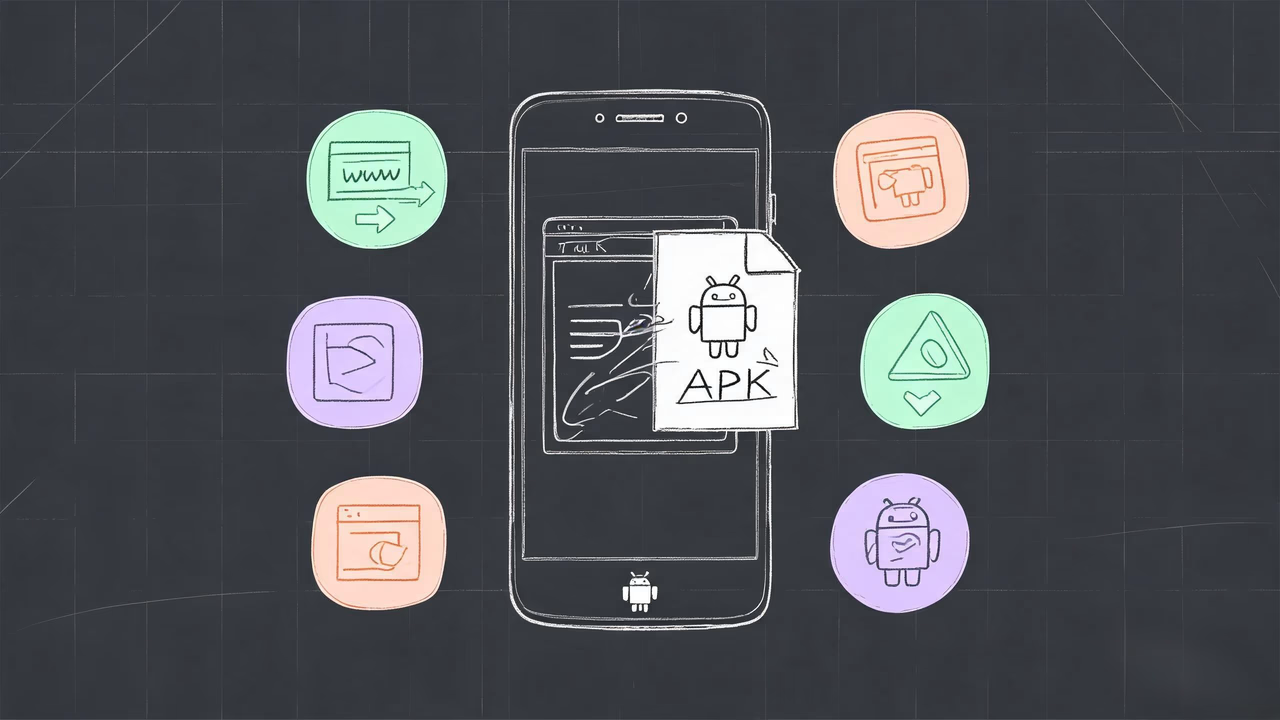
Turning a website or a local HTML file into an Android APK sounds like something that requires writing code. But in 2026 there are over a dozen "web to app" tools claiming to hand you an installable APK in minutes. The real question is: how do they actually differ? Is the free tier enough? Does your data get uploaded to a cloud server? And which one fits your use case?
This article puts six mainstream website to app converters side by side: ToApp, AppsGeyser, AppMySite, Median.co (formerly GoNative), WebIntoApp, and WebViewGold. I'll score each one across five dimensions — pricing, features, privacy, ease of use, and platform support — then give scenario-based recommendations. Whether you're an indie developer making an app for your blog or a small business owner wrapping your company site into an APK, you'll know which tool to pick by the end.
Why This Comparison Exists
If you've ever searched for "free website to app converter" or "web to app free," you've probably noticed the results are stuffed with roundup articles, each ranking its own product first. The problem is, most of these comparisons only look at pricing and feature lists, and rarely address the two things that actually matter:
- Where your data goes. When you enter a URL or upload a web file, is it processed in the cloud or locally? This directly affects privacy and compliance.
- Whether "free" has a catch. Many tools advertise free plans, but the free tier injects ads, adds watermarks, limits features, or doesn't even let you export a distributable APK.
This comparison focuses on answering those two questions. As the developer of ToApp, I'll stay as objective as possible — every tool gets an honest write-up of its real strengths and visible weaknesses, including ToApp itself. If you finish reading and decide a competitor fits you better, then it genuinely does.
How we define "free": This article only counts a tool as free if you can actually generate a distributable APK without paying. Tools that require payment to export an APK, or whose free tier includes ads or watermarks, are classified as paid.
How We Evaluated Them
To avoid "I like it so it's good" subjectivity, I used five fixed dimensions to evaluate each tool:
- Pricing & free tier: Can you generate an installable APK for free? Are there ads, watermarks, or signup walls?
- Feature completeness: Does it support custom icons, bottom navigation, dark mode, edge-to-edge display, and local web file packaging?
- Privacy & architecture: Is data processed locally or in the cloud? Does it require uploading website content? Is signup required?
- Ease of use: How long is the workflow? Do you need a computer? Is it friendly to non-technical users?
- Platform & ecosystem: Android only or iOS too? Can you publish to Google Play? Is source code available?
Below, tools are introduced in order from free-first to paid.
1. ToApp: The Fully Free Local Packager
ToApp is the main character of this article, and one of the few website to app tools that is truly free, with no ads and no watermarks. Its core differentiator: the entire packaging process runs locally on an Android phone, and website data and web files are never uploaded to any cloud server.
Core features:
- Online URL to APK with automatic favicon fetching
- Local HTML/ZIP file packaging into offline apps
- Multi-page bottom navigation bar (text or icon style)
- Custom app icon, name, package name, and version
- Dark mode, edge-to-edge display, non-fullscreen mode
- Project export to
.toappfiles for backup and migration
Pros: Completely free, no signup, local data processing (privacy-safe), supports offline web packaging, fully operable on a phone.
Cons: Android only; requires an Android phone (no desktop web version); no app template marketplace.
Best for: Indie developers, students, bloggers, anyone validating an idea quickly, and any scenario where you care about data privacy, don't want to pay, and don't want to sign up.
If you've seen enough and want to grab ToApp, you can download it free here. For deeper head-to-heads, there are already four dedicated comparison articles: vs AppsGeyser, vs AppMySite, vs GoNative, vs WebIntoApp.
2. AppsGeyser: Template-Rich Free Option
AppsGeyser is a veteran free app builder that's been around for over a decade. Its biggest selling point is 70+ app templates — not just website-to-app, but also games, tools, and media templates. Friendly for beginners who want a quick, simple app.
Core features: Online URL to APK, multiple app templates, built-in ad monetization (AdMob), Google Play publishing support.
Pros: Completely free, large template library, supports multiple app types, works in a desktop browser.
Cons: Free tier has ads (the platform injects its own ads, no revenue share for you); requires signup; no local HTML/ZIP packaging; no bottom navigation, dark mode, or custom package name; data is uploaded to cloud servers.
Best for: Students, experimental projects, users who don't mind ads and want multiple app templates beyond web-to-app.
If you're considering AppsGeyser, see the detailed ToApp vs AppsGeyser comparison.
3. AppMySite: Best for WordPress Merchants
AppMySite is a paid web-to-app SaaS platform starting at about $49/month. Its biggest advantage is deep integration with WordPress and WooCommerce — if you run a WordPress blog or WooCommerce store, it can automatically sync content, products, and categories, producing a solid native-feeling app.
Core features: WordPress/WooCommerce auto-sync, iOS + Android dual platform, push notifications, in-app payments, Google Play and App Store publishing support.
Pros: Polished WordPress integration, supports iOS, app store publishing, push notifications, strong native experience.
Cons: Paid subscription required; the free tier only lets you preview, not export an APK; relatively expensive ($49/month+); no local web file packaging; data uploaded to the cloud.
Best for: Merchants running WordPress/WooCommerce sites who need an iOS version, have budget, and want to publish to app stores.
See the detailed ToApp vs AppMySite comparison.
4. Median.co: Native Plugins for Developers
Median.co is the rebranded name of GoNative — yes, they are the same product. It's a developer-oriented web-to-app platform starting at about $179/year. Its headline feature is a powerful JavaScript Bridge with support for React, Angular, and Vue, plus a large library of native plugins (push, biometric auth, QR scanning, camera, and more).
Core features: JavaScript Bridge, native plugin marketplace, iOS + Android dual platform, Trusted Web Activity (TWA), source code export, CI/CD integration.
Pros: High technical depth, rich native plugins, great for web apps that need complex native interactions, source code access.
Cons: Relatively expensive ($179/year+); requires some development background; no local HTML offline packaging; complex configuration, not beginner-friendly.
Best for: Teams with development capacity, web apps that need native plugins and a JavaScript Bridge, enterprise projects with budget.
If you're evaluating GoNative / Median.co, see the ToApp vs GoNative detailed comparison. Note that searching for either "Median.co" or "GoNative" leads to the same product.
5. WebIntoApp: Simple Low-Cost Online Tool
WebIntoApp takes a simple, low-cost approach to online website-to-app conversion. It sits between free tools and premium platforms — base packaging is cheap, but advanced features cost extra.
Core features: Online URL to APK/AAB, basic customization (icon, name, colors), push notifications (paid), Google Play publishing service (paid).
Pros: Low price floor, simple operation, supports AAB format (required for Google Play), offers publishing assistance.
Cons: Limited free tier features; requires signup; no local HTML/ZIP offline packaging; data uploaded to the cloud; less customizable than Median.co.
Best for: Indie developers and small business sites on a tight budget who need to publish to Google Play.
See the detailed ToApp vs WebIntoApp comparison.
6. WebViewGold: One-Time License with Source Code
WebViewGold takes a completely different route from SaaS subscriptions — it uses a one-time license model, where you pay once and get the full source code and perpetual usage rights. It's mentioned in multiple 2026 web-to-app roundups and has real mindshare among developers.
Core features: iOS + Android dual-platform source code, WebView wrapper, push notifications, offline mode, AdMob integration, biometric authentication, cookie management, JavaScript injection.
Pros: One-time payment (no subscription pressure), full source code, supports both iOS and Android, feature-rich (push, offline, AdMob, biometric auth), no vendor lock-in.
Cons: Not free; requires development background to fully leverage the source code; no fully no-code workflow; no Chinese interface; local HTML packaging is less direct than ToApp.
Best for: Developers who want source code control, don't want to be tied to a subscription, and need both iOS and Android builds.
If you just want to package a website or local HTML into an Android APK without spending money, ToApp is a free alternative to WebViewGold — especially for scenarios where you don't need an iOS version or push notifications.
Feature Comparison Table
Side by side, the differences become clearer. The table below uses ✓ / ✗ / Limited to indicate support.
| Feature / Dimension | ToApp | AppsGeyser | AppMySite | Median.co | WebIntoApp | WebViewGold |
|---|---|---|---|---|---|---|
| Pricing | Completely free | Free + paid ad removal | From $49/mo | From $179/yr | Low-cost paid | One-time license |
| Free distributable APK | Yes | Yes (with ads) | No | No | No | No |
| Ads | No ads | Free tier has ads | No ads | No ads | No ads | No ads |
| Signup required | No | Yes | Yes | Yes | Yes | Yes |
| Online URL to APK | Yes | Yes | Yes | Yes | Yes | Yes |
| Local HTML/ZIP packaging | Yes | No | No | No | No | Limited |
| Bottom navigation bar | Multi-page | No | Yes | Yes | No | Yes |
| Custom app icon | Yes | Yes | Yes | Yes | Yes | Yes |
| Dark mode | Yes | No | Yes | Yes | No | Yes |
| Edge-to-edge display | Yes | No | Yes | Yes | No | Yes |
| Custom package name | Yes | No | Yes | Yes | Yes | Yes |
| Push notifications | No | Paid | Yes | Yes | Paid | Yes |
| Data privacy (local) | No upload | Cloud | Cloud | Cloud | Cloud | Local build |
| Android support | Yes | Yes | Yes | Yes | Yes | Yes |
| iOS support | No | No | Yes | Yes | No | Yes |
| Google Play publishing | No | Yes | Yes | Yes | Yes | Yes |
| Source code export | No | No | No | Yes | No | Yes |
| Project export/backup | Yes (.toapp) | No | No | Yes | No | Yes |
| Operated on | Phone | Desktop browser | Desktop browser | Desktop browser | Desktop browser | Desktop + IDE |
| App templates | No | Many | No | No | No | No |
The table reveals a clear split: ToApp and AppsGeyser are the only two that are genuinely free, but AppsGeyser's free tier shows ads and doesn't support local web packaging. AppMySite, Median.co, WebIntoApp, and WebViewGold are all paid, and their advantages lie in iOS support, push notifications, source code export, and publishing services.
By Scenario: Which Tool Fits You
A feature table alone isn't enough — tool selection ultimately comes down to "what problem are you solving." Here are recommendations for common scenarios:
Want it completely free
Pick ToApp. Completely free, no ads, no watermarks, no signup, local data processing. AppsGeyser is also free, but its free tier shows ads.
Need local HTML/ZIP offline packaging
Pick ToApp. This is ToApp's core capability that sets it apart from every competitor — packaging local web files into an offline APK. The other five don't support it or only support it partially.
Running WordPress / WooCommerce
Pick AppMySite. Its WordPress and WooCommerce auto-sync is well-built, ideal for merchants who need product, category, and order syncing.
Need an iOS version
Pick AppMySite, Median.co, or WebViewGold. All three support iOS. ToApp and AppsGeyser are Android only.
Have dev skills, want source & native plugins
Pick Median.co or WebViewGold. Median.co's JavaScript Bridge and native plugin marketplace are stronger; WebViewGold offers a one-time payment, full source code, and no subscription pressure.
Want to publish to Google Play
Pick AppMySite, Median.co, WebIntoApp, or WebViewGold. They all provide AAB format and publishing assistance. ToApp is currently positioned for offline distribution and doesn't offer publishing services.
Want many app templates (beyond web-to-app)
Pick AppsGeyser. It offers 70+ templates including games, tools, and media — the richest template library among free platforms.
Care about data privacy, no cloud uploads
Pick ToApp. The entire packaging process runs locally on your phone, and website data is never uploaded to any server. Most other tools require uploading site content to the cloud.
Migrating From Other Tools to ToApp
If you previously used AppsGeyser, AppMySite, WebIntoApp, or another tool and want to switch to ToApp, the process is simple — because the essence of web-to-app is "re-packaging a URL or web file," migration cost is essentially zero.
Record your current config
Note down your website URL, app name, icon, and package name from the original tool. That's everything you need to migrate.
Recreate in ToApp
Download ToApp, enter the same website URL, set the app name, icon, and package name, add bottom navigation pages if needed, and generate a new APK in one tap.
Distribute the new app
Send the new APK to your users to install, and uninstall the old app to complete migration. ToApp also supports exporting a .toapp project file for future backup.
If you're migrating from WebViewGold or Median.co and were using native features like push notifications or biometric authentication, note that ToApp doesn't currently offer these — it focuses on the one job of quickly packaging websites and local web files into APKs. If your core need is "fast, free, offline distribution," there's no loss in switching.
FAQ
ToApp and AppsGeyser both offer free plans. ToApp is completely free with no ads and no watermarks; AppsGeyser's free tier shows ads and requires a paid upgrade to remove them. Other tools like AppMySite, Median.co, WebIntoApp, and WebViewGold are all paid. Download ToApp free.
ToApp is one of the few tools that requires no registration and processes data locally. It generates APKs on-device on your Android phone, so website data never gets uploaded to any cloud server. Most other tools require an account and process builds in the cloud.
Both are free. ToApp has no ads, requires no signup, supports local HTML/ZIP packaging, dark mode, and bottom navigation; AppsGeyser's free tier has ads, requires an account, and doesn't support local web files, but offers many app templates. Choose ToApp for privacy and offline use, AppsGeyser for templates. See ToApp vs AppsGeyser detailed comparison.
Median.co is the rebranded name of GoNative — they are the same product. It targets developers with a powerful JavaScript Bridge and native plugins, starting at about $179/year. If you only need basic website-to-APK conversion, ToApp covers it for free.
WebViewGold uses a one-time license model, suited for developers who want source code control. If you just want to package a website or local HTML into an APK without spending money, ToApp is a free alternative that supports local web packaging and custom icons.
ToApp is currently positioned for offline distribution. The APKs it generates can be installed and used directly, but it doesn't provide AAB format or publishing assistance. If you need to publish to Google Play, consider AppMySite, Median.co, WebIntoApp, or WebViewGold.
Closing Words
Looking at all six tools together, you'll notice they actually serve different audiences:
- ToApp serves people who want free, care about privacy, and need offline packaging;
- AppsGeyser serves people who want to quickly build various apps with templates;
- AppMySite serves WordPress merchants;
- Median.co serves developer teams that need native plugins;
- WebIntoApp serves people who want low-cost Google Play publishing;
- WebViewGold serves developers who want source code without a subscription.
There's no "best tool" — only the "right tool for you." If your needs are free, ad-free, local data processing, and local web packaging, ToApp is the only one of the six that meets all four at once.
This article will be maintained as tools update. If you notice any tool's feature description is outdated, please let me know by email — I'll verify and update.

Want to package a website into an APK for free?
ToApp is completely free, ad-free, and processes all data locally. Download and use instantly, no signup required.
Download ToApp Free →