Build Your First Android Game with AI and ToApp: Space Shooter Tutorial
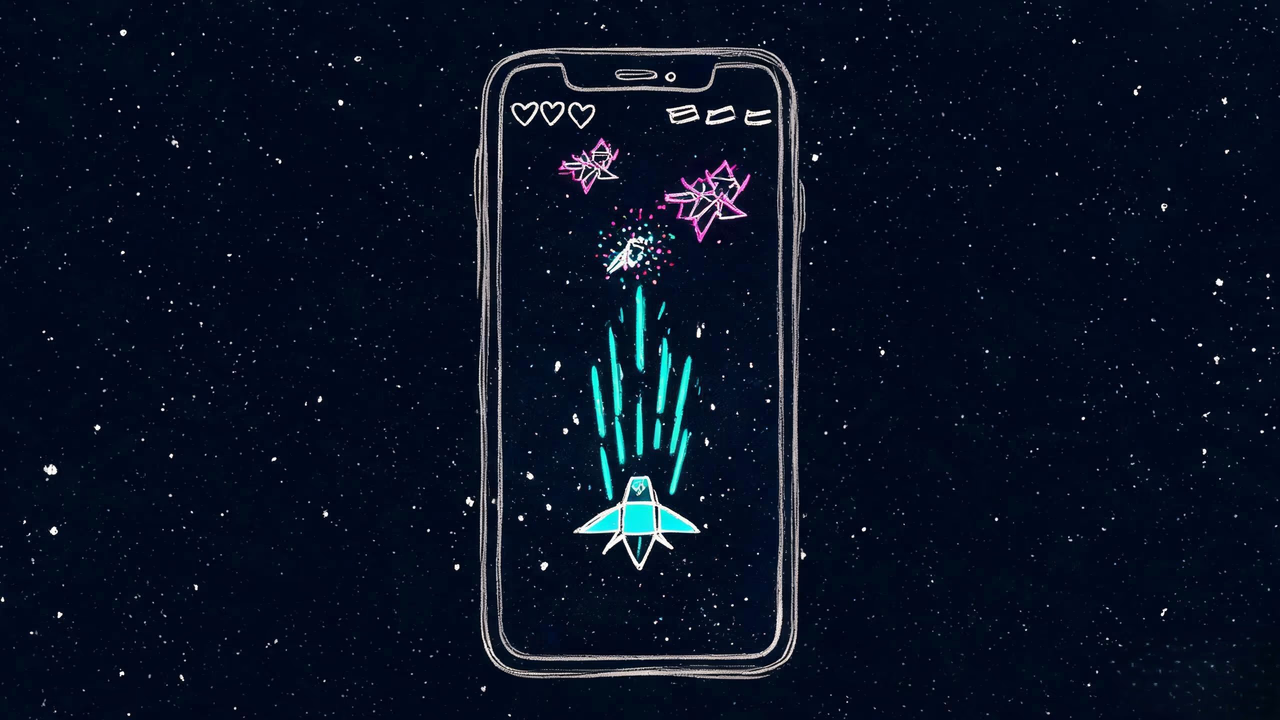
If you've read the previous tutorial, you already know: with just an AI model and ToApp, someone with zero coding background can build their own Android app on a phone. But that tutorial focused on utility apps — habit trackers, personal homepages, and other relatively static pages.
This time, let's try something more fun: a real Android game you can actually play.
Not a simple click-or-jump web toy, but a complete space shooter: a player ship at the bottom of the screen, auto-firing bullets upward, enemies descending from above, points for destroying enemies, health lost on hits, and a Game Over screen when you run out of lives. Best of all, it still needs only one HTML file, still requires zero lines of code from you, and still happens entirely on your phone using a free website to Android app converter.
This article keeps the same zero-background perspective as the last one. I won't assume you know game development, Canvas, or JavaScript. You just need to be able to describe ideas to AI, save a file, and package it with ToApp — that's it.
The Three Things You Need
One more thing than last time — because we're building a game, I suggest spending a few minutes thinking about what kind of game you want.
1. A chat window with an AI model.ChatGPT, Claude, Gemini, DeepSeek, or any mainstream model works. You don't need a paid plan; the free tier is enough.
2. An Android phone with ToApp installed.If you don't have ToApp yet, download it here. It's a completely free website to Android app converter. All data is processed locally, and no computer is needed.
3. A rough game idea.This tutorial will guide you through a space shooter, but you can swap the elements for spaceships, submarines, magical creatures, or race cars. As long as the core gameplay is "control a character to dodge or shoot descending enemies," this tutorial structure applies.
Ready? Let's begin.
Game Design: What We're Building
Before asking AI to write code, let's describe the game clearly. This description directly affects what AI generates.
Our space shooter includes these elements:
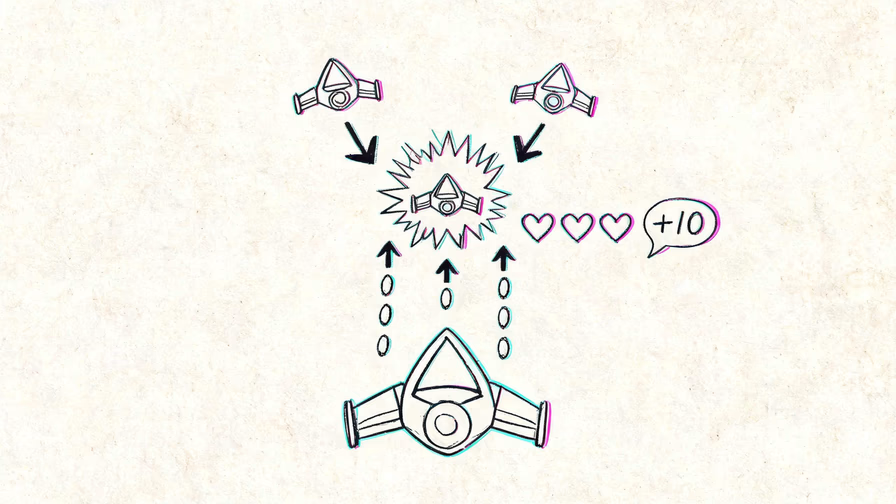
- Player ship: sits at the bottom of the screen; the player drags it left and right with a finger.
- Auto-fire: the ship fires bullets upward automatically — no shoot button needed.
- Enemies: appear from random positions at the top and fly downward. Their speed increases over time.
- Collisions and scoring: bullets destroy enemies and award points; enemies that hit the player or reach the bottom cost one life.
- Health: the player starts with 3 lives. When they run out, the game ends.
- Visual style: dark space background, neon glows, explosion particles — a good match for ToApp's dark UI.
Why this design? Because it sits right in the sweet spot between "simple" and "complete": the code isn't too complex for AI to generate in one go, but the result is a genuinely playable game rather than a one-click demo.
A small suggestion: don't add too many features the first time. Power-ups, leaderboards, saves, and sound effects can all come later. First get the four core loops working — move, shoot, score, and game over — and your first game is already a success.
Tell AI What the Game Should Be
Open your AI chat window. You can copy and paste the prompt below directly, or modify it to fit your own idea. The key principle is to be clear about game type, visual style, controls, win/lose rules, and technical constraints.
Here is a prompt I've tuned to work well with most AI models. It's specific enough for AI to generate a runnable space shooter in one shot:
Please generate a complete single-file HTML5 space shooter game for me, named index.html, with the following requirements:
1. Use HTML5 Canvas to render the game
2. Dark space background with slowly falling star particles
3. Player ship at the bottom of the screen, movable left and right by touch or mouse drag
4. Ship auto-fires glowing bullets upward
5. Enemies appear from random positions at the top and move downward; their count and speed gradually increase with the score
6. When a bullet hits an enemy, create an explosion particle effect and award +10 points
7. Player starts with 3 lives; lose 1 life when an enemy hits the player ship or reaches the bottom of the screen
8. When lives run out, show a Game Over screen with a "Restart" button
9. Display current score and remaining lives at the top of the screen
10. All CSS and JavaScript must be inline in the HTML file — no external resources
11. Adapt to mobile screens, full-screen display, disable page scrolling and default touch behaviors
12. Use requestAnimationFrame for the game loop to keep it running smoothly
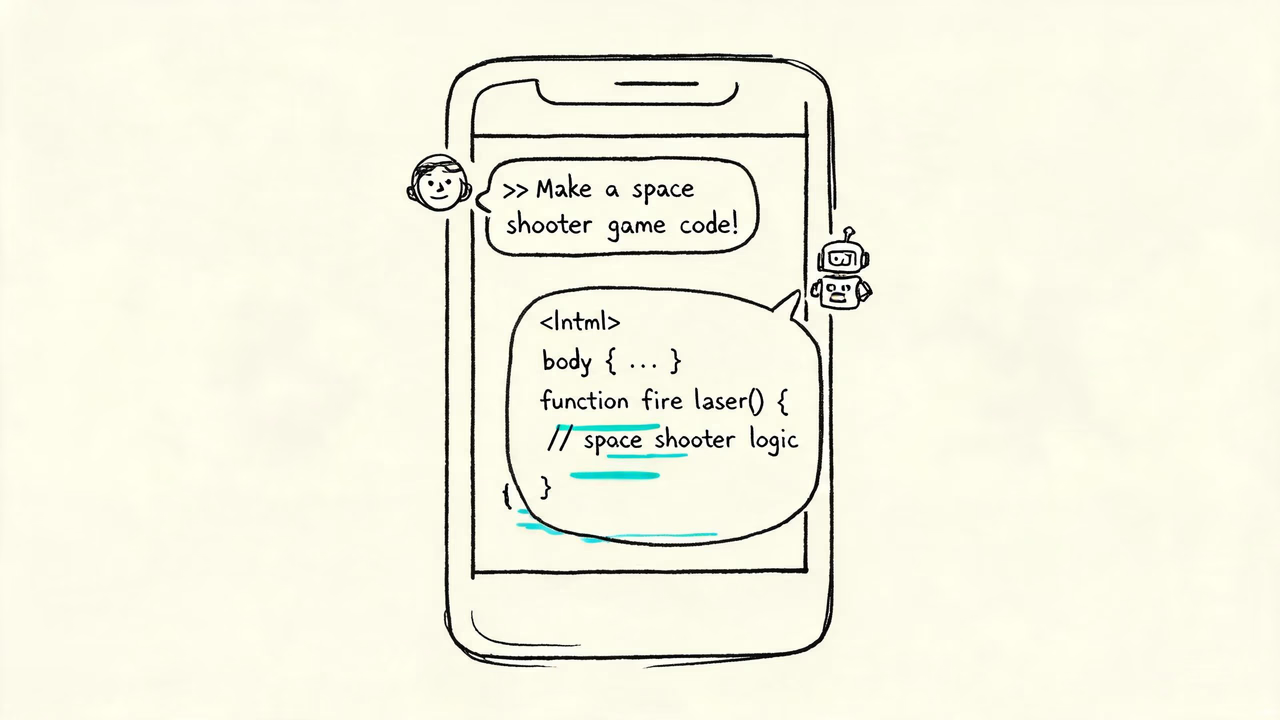
After sending this, the AI will reply with a large block of code. It usually contains three parts:
<style>tag: sets full-screen layout, dark background, hides scrollbars.<canvas>tag: where the game is actually drawn.<script>tag: handles player input, updates enemy and bullet positions, detects collisions, and updates the score.
The generated code will look something like this (simplified sketch; yours will be richer):
<!DOCTYPE html>
<html lang="en">
<head>
    <meta charset="UTF-8">
    <meta name="viewport" content="width=device-width, initial-scale=1.0">
    <title>Galaxy Defender</title>
    <style>
        body { margin: 0; overflow: hidden; background: #050510; }
        canvas { display: block; width: 100vw; height: 100vh; }
    </style>
</head>
<body>
    <canvas id="game"></canvas>
    <script>
        const canvas = document.getElementById('game');
        const ctx = canvas.getContext('2d');
        // AI generates the full game logic here
    </script>
</body>
</html>
Save as index.html
Once you have the code, save it as index.html using the same method as the previous tutorial:
- If the AI supports direct download: look for a "Download" or "Export" button near the code block and save it directly as HTML.
- If not: long-press to copy the code, open a text editor on your phone (such as MT Manager or QuickEdit), create a new file, paste the code, and save it as
index.html.
After saving, don't rush to open ToApp yet. First open the file in your phone's browser to confirm the game works.
Test It in a Browser
Find index.html in your file manager and choose "Open with browser." You should see a dark background, your ship at the bottom, and enemies falling from above.
While testing, check these points carefully:
- Drag the ship: does it follow your finger left and right?
- Auto-fire: does the ship keep firing bullets upward?
- Hit enemies: do bullets make enemies disappear and increase your score?
- Lose health: does your life count decrease when an enemy hits you or reaches the bottom?
- Game over: after 3 lives, do you see Game Over and a restart button?
- Full-screen fit: does the game fill the entire screen with no white bars or scrolling?
If something doesn't work, go back to the AI chat and tell it. For example:
The ship doesn't follow my finger smoothly. Please make the ship smoothly move to wherever I press.
Or:
The enemies are too slow. Please make enemy speed gradually increase with the score and spawn more enemies over time.
The AI will fix it for you. You don't need to understand the code — just describe the problem.
Why test in the browser first? The browser is the fastest test environment. If the game doesn't run properly there, it probably won't work after packaging as an APK either. Get the browser version right first, then move to ToApp.
Generate an APK with ToApp
Once the game runs smoothly in the browser, the remaining steps are exactly the same as packaging a regular web page.
Open ToApp, and on the create page choose "Local Files" mode, then "Import a single HTML file." Find the index.html you just saved and import it. ToApp will convert your HTML game into an Android APK locally on your phone.
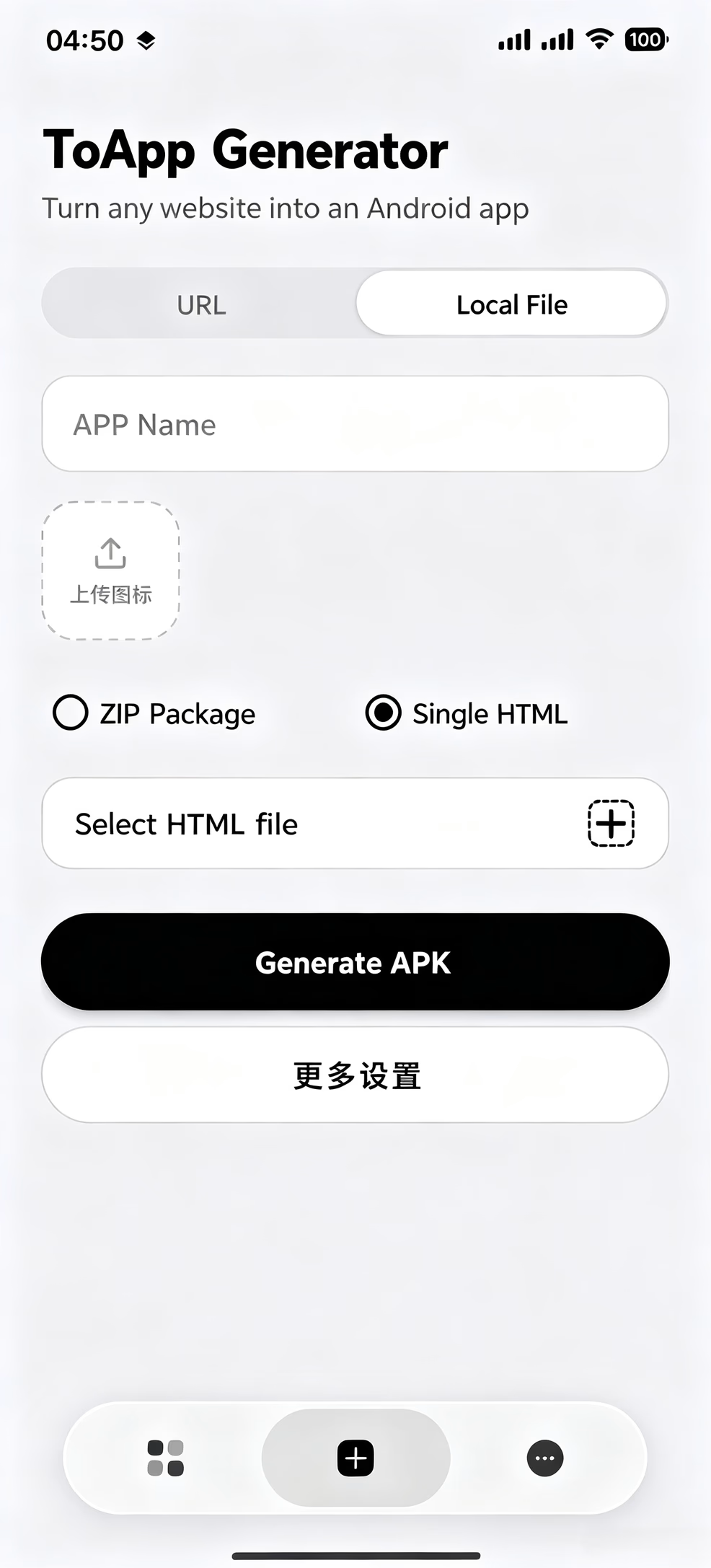
After importing, set the app info:
- App name: something like "Galaxy Defender," "Space Shooter," or "My Sky Battle."
- App icon: you can have AI generate a ship or flame icon (PNG format), or use any image from your gallery. If you don't want to bother, ToApp will provide a default icon.
- Package name: auto-generated from the app name; keep the default.
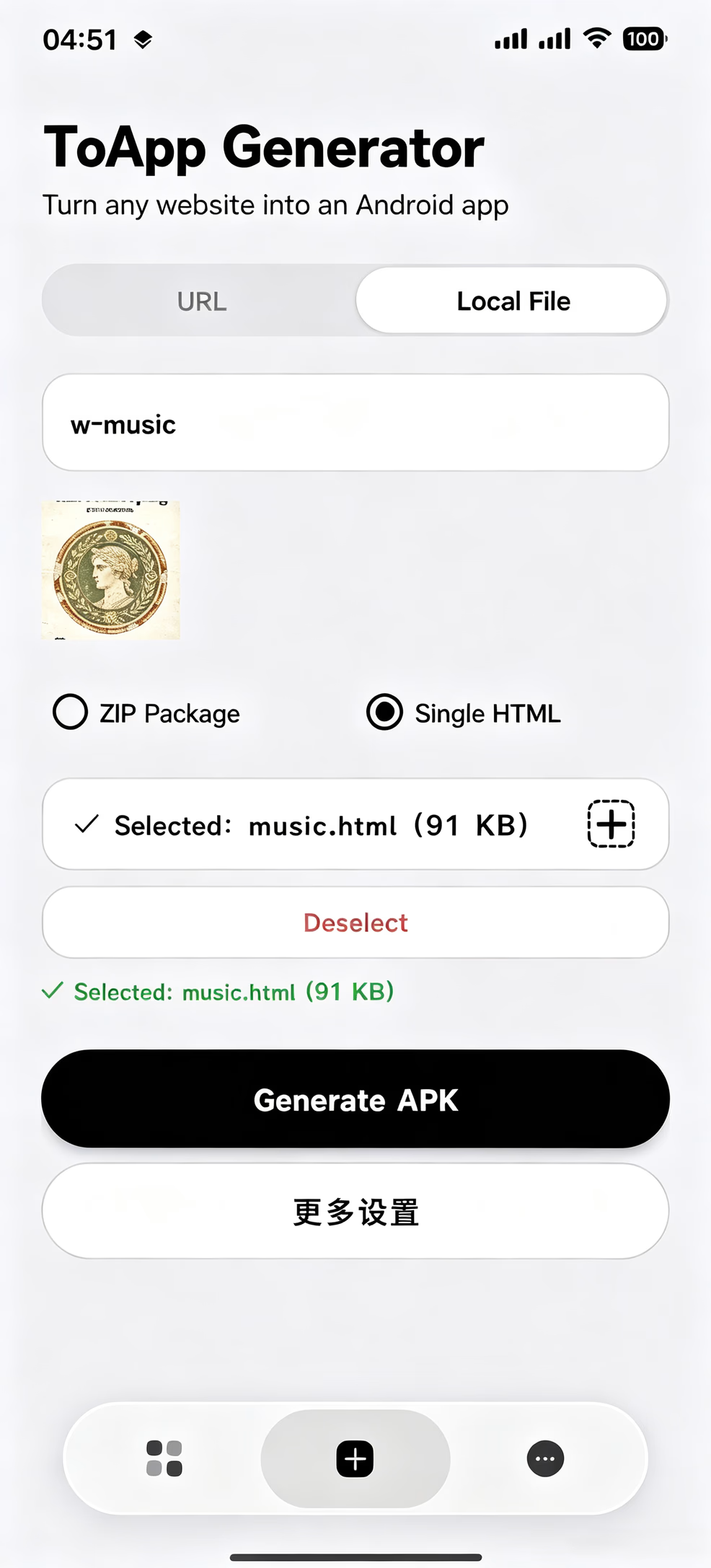
If you want a more immersive experience, you can enable edge-to-edge display in "More Settings" so the game extends to the screen edges. Dark mode also pairs well with the space theme.
Once everything is set, tap "Generate APK." ToApp will package it locally on your phone, usually in just a few seconds to a dozen seconds.
Install on Your Phone
After generation, ToApp will ask if you want to install directly. Tap install, and Android may show a prompt saying "Installing apps from this source is not allowed."
The fix is the same as in the previous tutorial:
- On the prompt, tap "Settings" or "Allow installation from this source."
- On the "Install unknown apps" permissions page, find ToApp and toggle the switch on.
- Return to ToApp and tap install again.
Once installed, go back to your home screen and you'll see your game icon. Tap it.
At this moment, what you have is no longer a web page but a real game app installed on your phone. It needs no internet, no browser, and sits on your home screen like any other app. You can open it and play a round anytime.
This is your first mobile game.
Understanding the Generated Code (Optional)
Although you don't need to write code, understanding the structure of what AI generated will give you more confidence when you want to modify the game later. A typical space shooter HTML file contains these modules:
- Initialization: sets the Canvas size, gets the drawing context, and listens for touch/mouse events.
- Game loop: uses
requestAnimationFrameto keep updating the screen. Each frame does three things: update state, detect collisions, and redraw. - Player object: records the ship's position, size, and health.
- Bullets array: stores all flying bullets and updates their positions each frame.
- Enemies array: stores all enemies, updates their positions, and checks if they've left the screen.
- Particle effects: small glowing dots created when an enemy is destroyed; they disappear after a short while to simulate explosions.
- Collision detection: checks whether bullets hit enemies or enemies hit the player.
- UI rendering: draws the score and remaining lives at the top of the screen.
You don't need to memorize these terms. Just know that if you later want AI to add a feature, you can say something like "add a shield power-up that makes the player invincible for 5 seconds," and AI will know where to insert the new logic among these modules.
How to Make the Game Better
After the first version works, you can ask AI to add features step by step. Here are some beginner-friendly extension ideas, ordered from easy to more complex:
- Reskin: change the ship from a triangle to a spaceship, enemies into asteroids, or the background from space to ocean. This only changes the drawing code.
- Difficulty curve: make enemies faster and spawn more frequently, or add tougher "elite" enemies that take multiple hits.
- Power-ups: double bullets, shield, screen-clearing bomb. Picking one temporarily changes the player's state.
- Sound effects: use the Web Audio API to generate simple shooting and explosion sounds. Avoid external audio files to keep it single-file.
- Local high score: use
localStorageto remember the highest score across sessions. - Boss battle: every few hundred points, spawn a large enemy that needs many hits to defeat.
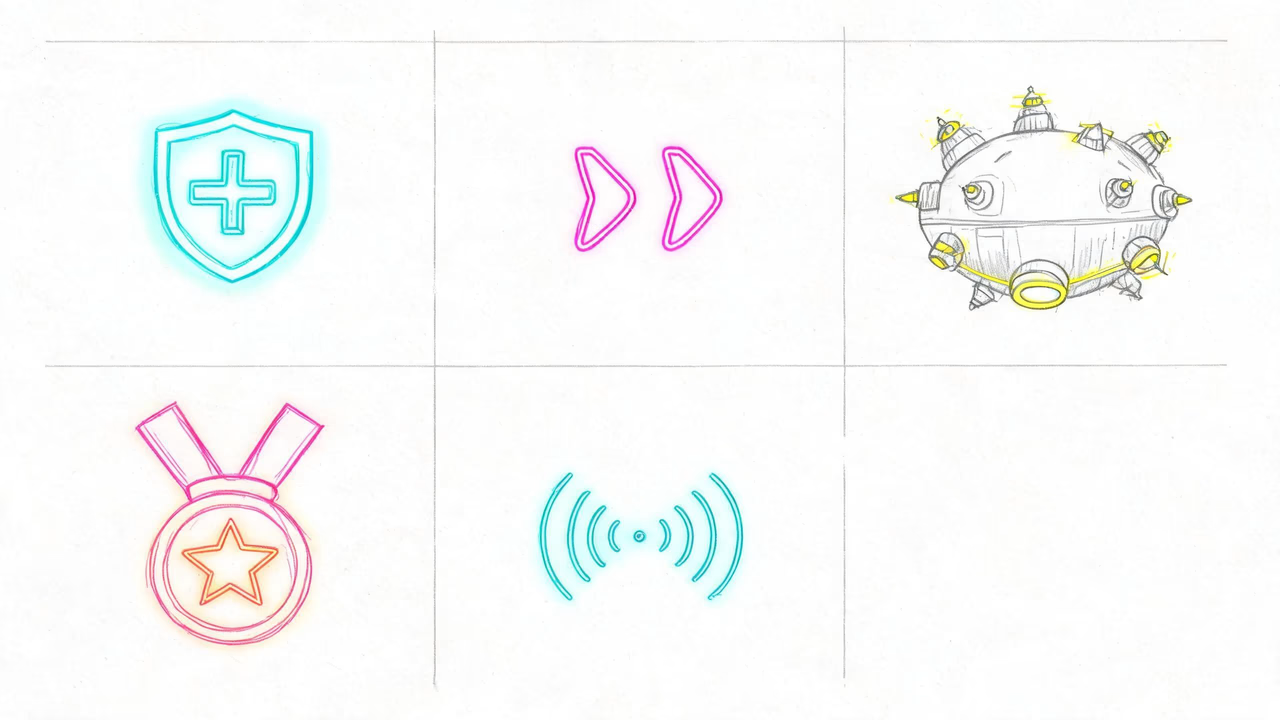
Add one feature at a time, test it, then add the next. This way you won't have too many changes to debug at once.
Closing Words
Building your first game is a lot like building your first app: there's a moment of surprise when you realize "it actually moves." But games give even more immediate feedback: drag the ship and it follows; hit an enemy and it explodes; run out of lives and Game Over appears instantly. That immediacy is addictive — not because you're playing the game, but because you're creating something.
Many people think they can't make games because game development sounds like it requires engines, art, physics, and sound. But the space shooter we built today proves one thing: a single-file HTML game plus a free website to Android app converter is already enough to make a playable, shareable, installable mobile game.
The code was written by AI, but the game design is yours: you decided whether it's called "Galaxy Defender" or "Deep Sea Hunter," what colors it uses, how hard it is, and whether it has power-ups. You made all the key decisions in your conversation with AI. That's what development looks like in the zero-code era — humans supply ideas and judgment, AI supplies implementation.
Alright — go open the game you just made and play a round. If you want, send me a screenshot of your high score.
Article too long? Hard to follow?
Click to copy this tutorial, send it to your AI, and let it guide you step by step through building a space shooter Android game with ToApp and AI.

Ready to Build Your First Android Game?
ToApp is a free website to Android app converter. Turn your HTML5 games into installable APKs with no coding, no ads, and no cloud upload.
Download ToApp Free →